

Every Startup Eventually Hits the “Wait… Who’s Working on That?” Phase.
At first, startup project management feels simple.
You’ve got:
- A few people.
- A few tasks.
- A few Slack messages.
- Dangerous levels of optimism.
Then suddenly:
- Nobody knows what’s in progress.
- Features disappear into the void.
- Bugs are tracked via memory.
- Priorities change every six minutes.
- Someone says, “I thought YOU were doing that.”
And congratulations. This marks the turning point when Jira can bring order to your startup’s operations.
Especially for startups trying to scale operations without hiring three project managers and a stress therapist.
As part of our Zarpra LaunchPad™ startup series, we’re breaking down powerful free tools startups can use before budgets stop resembling spare couch change.
Now, let’s turn to Jira. The app engineers love. Operations teams fear. And startups somehow turn into a second full-time job if nobody manages it correctly.
What Is Jira?
Jira is a project management and issue tracking platform from Atlassian. Originally built for software development teams, it’s now used for:
- Product management.
- IT operations.
- Marketing workflows.
- HR requests.
- Customer onboarding.
- Helpdesk management.
- Compliance tracking.
- Basically, every team enjoys creating tickets for each other.
Think of Jira as organized chaos tamed by clear dashboards.
Jira’s Free Tier: Surprisingly Powerful
Cost: Free Forever for Up to 10 Users
For small startups, that’s a pretty generous starting point.
Especially considering that Jira includes features that many other platforms immediately hide behind expensive paywalls and emotional hostage-taking.
What You Get for Free
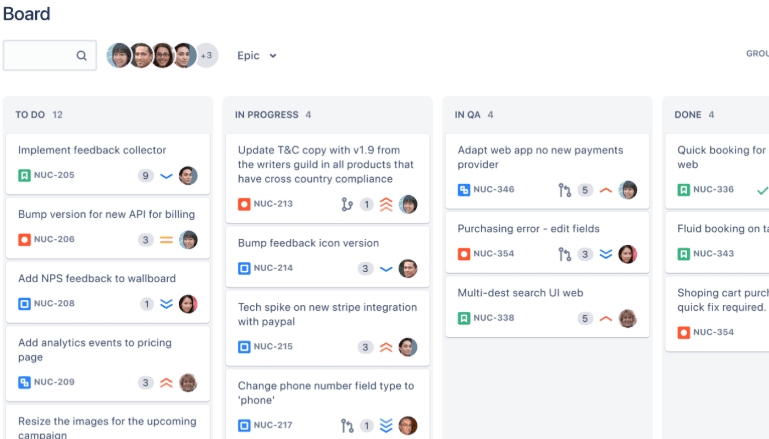
Scrum and Kanban Boards
You can create:
- Agile sprint boards.
- Kanban workflows.
- Product backlogs.
- Team task tracking.
- Operational workflows.
Translation: You finally stop managing product development through random Slack messages and vibes.
Unlimited Projects
Separate projects for:
- Engineering
- Marketing
- Operations
- IT
- HR
- Customer Success
- Product Launches
- “Critical Fires We Pretend Aren’t Critical”
You can organize teams without creating one horrifying mega-board that nobody understands.
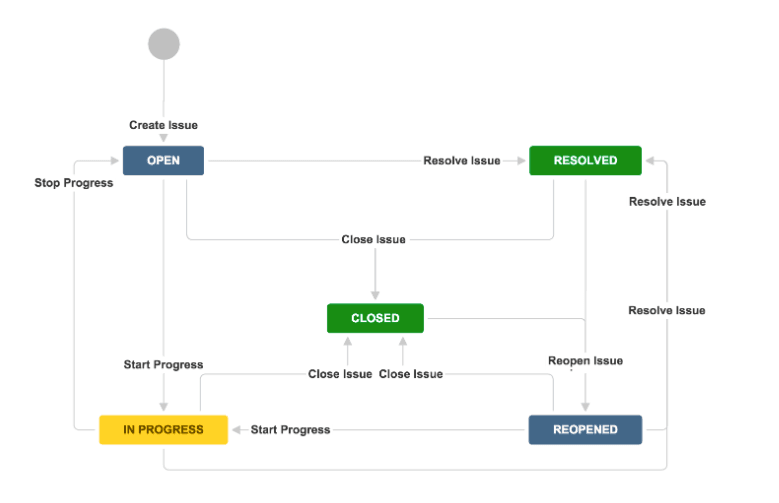
Custom Workflows
Jira’s workflow engine is where things become powerful.
You can customize:
- Statuses
- Approvals
- Task flows
- Automations
- Escalations
- Notifications
This is excellent. It is also how startups end up creating a 47-step approval process for changing a logo. Use responsibly.
Integrations Everywhere
Jira integrates with:
- GitHub
- Slack
- Microsoft Teams
- Google Workspace
- Confluence
- CI/CD pipelines
- Customer support systems
- DevOps tooling
- About 9,000 other things
The ecosystem is massive. Which is great for productivity. And terrible for “just adding one more app.”
Automation Included
Even the free tier includes automation capabilities.
That means you can automate:
- Ticket assignments.
- Notifications.
- Workflow transitions.
- Due dates.
- Repetitive admin tasks.
Basically: Less manual babysitting. More pretending your startup is operationally mature.
Why Startups Actually Benefit from Jira
Visibility
This is the biggest reason startups adopt Jira.
You can instantly see:
- What’s being worked on?
- What’s blocked?
- Who owns what?
- What’s behind schedule?
- What priorities are changing?
- Which project is quietly on fire?
That visibility becomes critical once your startup grows beyond “everyone sits in the same room.”
It Creates Operational Structure Early
Startups often delay the process until things become painful.
Jira helps teams establish:
- Accountability.
- Ownership.
- Prioritization.
- Documentation.
- Repeatable workflows.
Without structure, scaling becomes chaos with a logo.
It Helps Prevent “Founder Dependency”
Many startups end up centralizing everything around founders.
Meaning:
- Every decision routes through them
- Every task requires clarification.
- Every workflow depends on tribal knowledge.
Jira helps operationalize work so your company can function without requiring someone to answer Slack messages at 1:14AM.
It Scales Extremely Well
This is one of Jira’s biggest strengths. A tiny startup can use Jira, so can a massive enterprise with thousands of users. Meaning startups don’t necessarily need to replace it later as they grow. But…that scalability comes with a warning label.
The Free Tier Limitations Startups Need to Understand
The 10 User Limit
Like many startup-friendly SaaS platforms, the free tier allows up to 10 users before requiring a paid plan, with additional limitations on automation usage and administrative controls.
Once you grow past that: Welcome to budgeting conversations.
And if your entire operational process now depends on Jira? You’re probably upgrading whether you want to or not.
Automation Limits
The free plan includes limited quotas for automated execution.
Which sounds fine until:
- Your workflows become useful.
- Multiple teams rely on automation.
- Notifications start failing
- Tickets stop auto-routing
Startups thrive on automation. Jira LOVES paid tiers.
Limited Permissions and Governance
Free plans have fewer controls for:
- Granular permissions.
- Advanced administration.
- Governance.
- Security policies.
That becomes important once:
- Contractors enter the picture.
- Sensitive projects exist.
- HR data appears.
- Compliance requirements show up uninvited.
No Advanced Audit Logs or Enterprise Security Features
Like Confluence Free, Jira Free lacks:
- Advanced audit capabilities
- Enterprise SSO
- Higher-end security governance
For very early startups? Probably fine.
For startups pursuing:
- SOC 2
- Enterprise customers
- Security compliance
- Vendor assessments
…you’ll likely outgrow the free version operationally before you outgrow it technically.
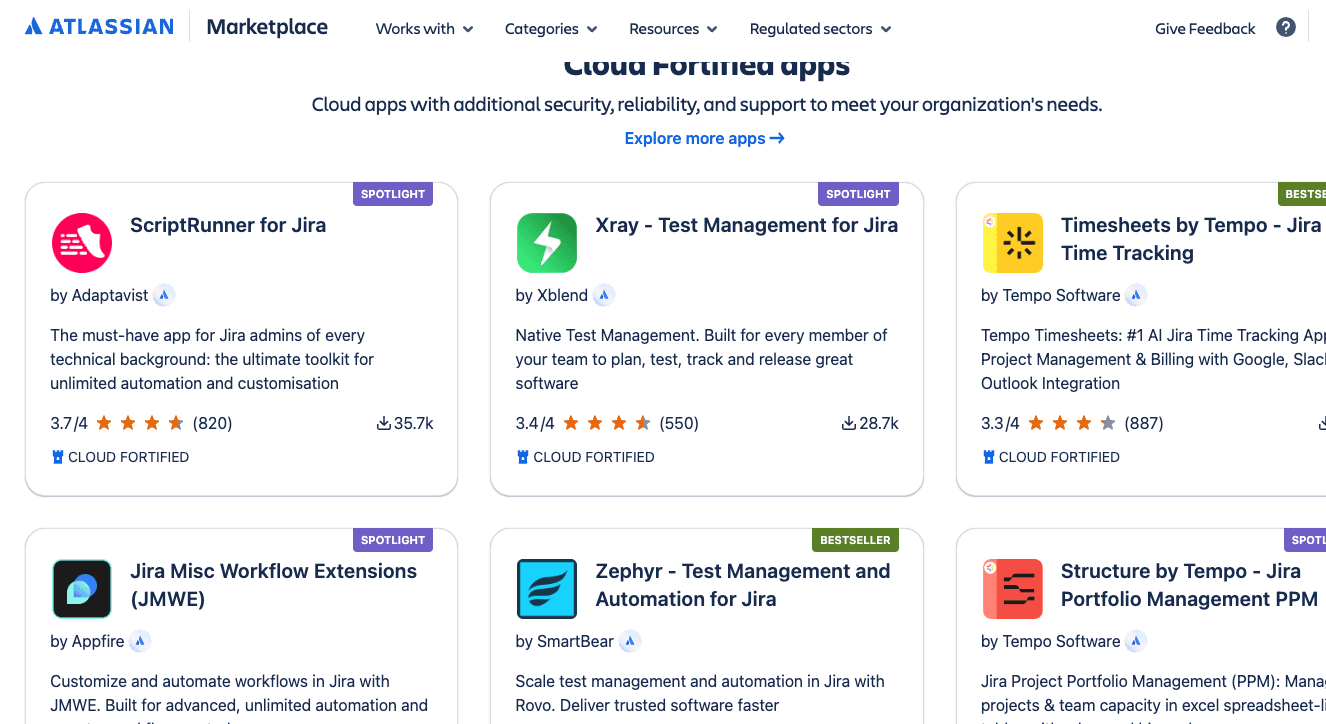
Marketplace Apps Can Become Expensive FAST
This is the hidden Jira tax. The marketplace is incredible. But many plugins charge:
- Per user
- Per month
- Per product
- Per instance
Meaning: One “small helpful plugin” turns into: “Why are we spending $700/month on workflow extensions?”
This happens constantly.
The Real Danger: Overengineering
Here’s the biggest Jira startup mistake. Founders discover customization. Suddenly, the startup has:
- 14 workflows.
- 63 statuses.
- Approval chains.
- Nested automations.
- Three project methodologies.
- A ticket creation process requiring emotional resilience.
Now nobody wants to use Jira. This happens WAY more than people admit.
At Zarpra LaunchPad, one of the biggest things we help startups avoid is: building enterprise-level complexity before they actually need it.
Good startup tooling should:
- Reduce friction.
- Improve visibility.
- Increase speed.
- Support growth.
Not require a dedicated “Jira wizard” by employee number twelve.
Vendor Lock-In Is Real Here Too
Jira becomes deeply embedded very quickly. Especially once teams rely on:
- Automations.
- Integrations.
- Marketplace apps.
- Custom workflows.
- Linked Confluence documentation.
- Reporting dashboards.
Migrating away later can become:
- Expensive.
- Complicated.
- Operationally painful.
That doesn’t mean “don’t use Jira.” It means: Build intentionally from day one.
- Maintain clean workflows.
- Steer clear of unnecessary complexity.
- Document your setup.
- Plan for growth.
Future-you will be less angry.
Our Recommendation
For startups under 10 users? Jira Free is honestly one of the strongest operational tools available.
Especially for:
- Product teams.
- Development teams.
- IT operations.
- Structured task management.
- Workflow visibility.
- Scaling organizations.
Remember: The goal is operational clarity, not unnecessary complexity before Series A.
How Zarpra LaunchPad™ Helps
At Zarpra LaunchPad, we help startups:
- Build scalable Jira environments.
- Design clean workflows.
- Avoid automation disasters.
- Plan for future SaaS costs.
- Implement startup-friendly governance.
- Keep operations organized without slowing teams down.
Startups need nimble systems, not platforms that become maintenance burdens.
Coming Next in This Series: Slack for Startups
We’ll cover:
- Why Slack becomes startup mission control almost immediately
- The free tier perks startups actually care about
- The hidden limitations nobody notices until messages disappear.
- App integrations that save time (and ones that create absolute chaos)
- Why every startup eventually creates way too many channels
- How to avoid turning Slack into your unofficial HR system, ticketing system, file server, and emotional support hotline
Because “we posted it in Slack somewhere” is not documentation… and definitely not a process.