

Every Startup Eventually Reaches Support Chaos
At first, handling support requests feels easy.
Someone needs access? Slack message.
Laptop issue? Random DM.
VPN broken? Tap somebody on the shoulder.
Need onboarding help? “Hey, quick question…”
Then suddenly:
- Nobody knows what’s unresolved.
- Requests disappear into chat history.
- Off-boarding gets forgotten.
- Access requests pile up.
- The founder becomes accidental helpdesk staff.
- Someone says, “I asked about this three weeks ago”.
And congratulations. Your startup now needs a real support process.
This is where Jira Service Management (JSM) becomes incredibly useful.
Especially for startups trying to look operationally mature without hiring a full enterprise IT department and a committee dedicated to ticket routing.
As part of the Zarpra LaunchPad™ startup series, we’re breaking down startup-friendly platforms that help growing companies stay organized without immediately torching their budgets.
This time: Jira Service Management.
The platform that turns: “Can someone help me?” into “Here’s a structured process that doesn’t depend entirely on memory and caffeine.”
What Is Jira Service Management?
JSM is the IT service management and support platform from Atlassian.
Think of it as:
- Helpdesk software.
- Internal IT request management.
- Employee support portal.
- Incident tracking.
- Asset and operations workflows.
- Approval management.
- Organized startup support chaos.
It’s built on top of Jira, which means:
- workflows
- automations
- integrations
- reporting
- scalability
…are all already part of the ecosystem.
Which is both powerful and slightly dangerous if nobody sets boundaries.
JSM’s Free Tier: Surprisingly Good for Small Teams
Cost: Free Forever for Up to 3 Agents
Important distinction: Agents = support staff
Not total employees. Not Customers.
Meaning your startup can support far more than three users as long as only three people are actively managing tickets.
For early startups? That’s often plenty.
What You Get for Free
Helpdesk Portal
Employees can submit requests through a clean support portal instead of:
- random Slack messages.
- hallway conversations.
- “quick favors”.
- emotionally aggressive email chains.
This alone massively improves startup operations.
Ticket Management
Track:
- IT requests
- onboarding
- offboarding
- access requests
- equipment issues
- software approvals
- security incidents
- HR workflows
- operational tasks
Instead of relying on: “Did anyone remember to do that?”
Queues and Workflow Management
JSM allows startups to create organized workflows for:
- approvals
- escalations
- issue routing
- request categories
- support priorities
Meaning your startup can stop treating every request like: “Whoever sees this first deals with it.”
Automation Features
Automation is one of JSM’s best strengths.
You can automate:
- ticket assignments.
- approvals.
- onboarding steps.
- notifications.
- escalations.
- SLA workflows.
- repetitive operational tasks.
Basically: Less manual chaos. More scalable operations.
Knowledge Base Integration
JSM integrates directly with Atlassian Confluence.
Meaning startups can build:
- help articles.
- onboarding documentation.
- FAQ pages.
- troubleshooting guides.
- internal process documentation.
This dramatically reduces repetitive support requests. Or at least gives IT somewhere to point before answering the same VPN question for the 19th time.
Why Startups Should Actually Use JSM
It Creates Accountability
Without a ticketing system: Requests disappear.
With JSM:
- Everything is tracked.
- ownership exists.
- priorities become visible.
- work becomes measurable.
That matters once startups grow beyond: “Everyone just kind of knows what’s happening.”
It Makes IT Operations Scalable
Many startups delay the process until it becomes painful.
Then suddenly:
- Onboarding takes forever.
- Access gets missed.
- Ex-employees still have logins.
- Nobody knows who approved what.
JSM helps startups operationalize support before those problems become expensive.
It Improves Security
Support processes are security processes.
JSM helps standardize:
- access approvals.
- user onboarding.
- off-boarding.
- permission changes.
- device tracking.
- incident response.
Which becomes extremely important once startups:
- Hire rapidly.
- handle customer data.
- pursue compliance.
- land enterprise clients.
It Helps Teams Stop Living in Slack DMs
This is huge. Support requests should not live exclusively inside:
- DMs
- random channels.
- forgotten threads.
- “Hey, real quick” messages.
JSM centralizes requests into an actual operational process. Which future-you will appreciate immensely.
The Free Tier Limitations Startups Need to Understand
Now for the important stuff. JSM Free is excellent for small teams. But startups should understand the upgrade pressure points early.
Only 3 Agents Included
This is the biggest free limitation.
Once your support operations expand beyond three active agents, You’ll need to upgrade. And startups often underestimate how quickly that happens once:
- HR joins workflows.
- Operations join workflows.
- Engineering participates.
- Leadership approvals enter the process.
Limited Advanced ITSM Features
The free tier lacks many advanced capabilities, including:
- advanced incident management.
- deeper reporting.
- enterprise asset management.
- advanced SLA controls.
- expanded automation capabilities.
For very early startups? Probably fine. For scaling companies? Eventually limiting.
Automation Limits Exist Here Too
Like most Atlassian free plans, Automation quotas exist.
And startups LOVE automating:
- onboarding
- approvals
- notifications
- routing
- provisioning
Eventually, those limits become noticeable. Usually, right after your workflows become genuinely useful.
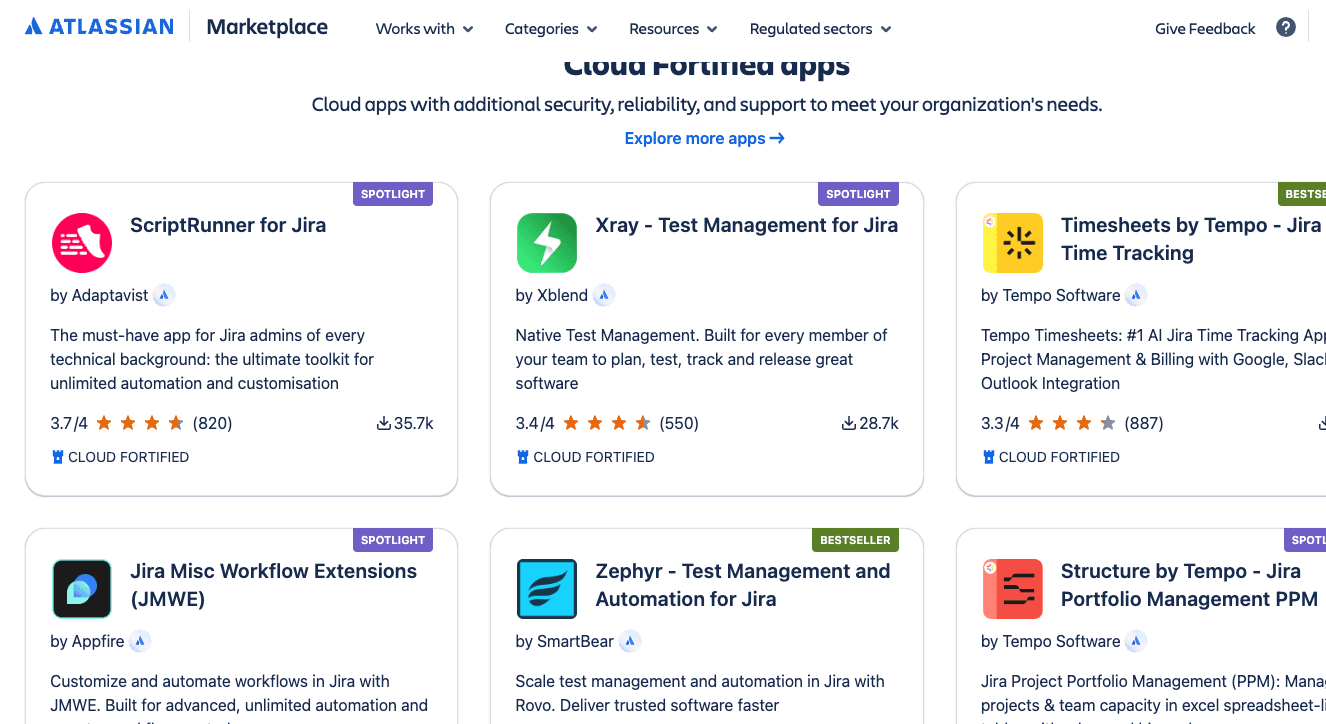
Marketplace Costs Add Up Fast
JSM’s ecosystem is powerful. But plugins can become expensive surprisingly quickly.
Especially for:
- asset tracking
- advanced approvals
- integrations
- reporting
- security workflows
- compliance tooling
Many startups accidentally build “enterprise IT operations” before they actually need enterprise complexity.
Overengineering Is the Real Risk
This is where startups get into trouble. JSM is extremely customizable.
Which means startups suddenly create:
- 12 approval layers
- complicated intake forms
- impossible workflows
- ticket categories nobody understands
- escalation paths requiring archaeology degrees
Now nobody wants to submit tickets.
At Zarpra LaunchPad™, one of our biggest goals is to help startups build operational maturity without enterprise-level bureaucracy.
Good IT operations should:
- increase speed
- improve visibility
- reduce friction
- improve accountability
It should not make employees fear submitting a password reset request.
Vendor Lock-In Is Worth Thinking About
JSM becomes deeply embedded in operations very quickly.
Especially once your startup depends on:
- approval workflows.
- automations.
- onboarding systems.
- integrations.
- reporting.
- knowledge base structures.
Migrating later becomes:
- time-consuming.
- operationally painful.
- expensive.
- annoying enough to avoid for years.
Which is why startups should:
- document processes carefully.
- avoid unnecessary complexity.
- Plan future costs early.
- keep workflows clean and scalable.
Our Recommendation
For startups? JSM Free is honestly one of the best no-cost operational support tools available.
Especially for:
- startup IT operations.
- onboarding/off-boarding.
- internal support requests.
- operational accountability.
- process maturity.
- growing companies.
It helps startups stop operating entirely through memory, Slack messages, and panic. Which is usually a healthy step forward.
How Zarpra LaunchPad™ Helps
At Zarpra LaunchPad™, we help startups:
- Build scalable JSM environments.
- Create clean onboarding/offboarding workflows.
- Implement startup-friendly IT governance.
- Secure operational processes.
- Avoid workflow disasters.
- Plan future SaaS growth and costs.
Without turning your startup into a corporate bureaucracy simulator.
Because startups need structure…not six approval layers to order a keyboard.
Coming Next in This Series
Cloudflare for Startups
We’ll cover:
- Free website protection features.
- DNS management.
- CDN performance improvements.
- SSL certificates.
- Security protections startups should absolutely enable.
- Hidden limitations and upgrade traps.
- Exposing your origin server directly to the internet is basically asking for problems.
Because “we’ll deal with security later” is how startups eventually end up facing ransomware, downtime, and panic simultaneously.